What is RFDump
RFDump is a backend GPL tool to directly interoperate with any RFID ISO-Reader to make the contents stored on RFID tags accessible.
This makes the following types of audits possible:
- Test robustness of data-structures on the reader and the backend-application
- Proof-of-concept manipulations of RFID tag contents
- Clone / copy & paste User-Data stored on RFID tags
- Audit tag-security features
If you are interested in RFID this link helps you!
RFDump was first presented at the Blackhat Conference 2004 in Las Vegas (check out the slides from our presentation) and since then we have been striving to turn this web site into a portal for information exchange regarding RFID technology.
RFDump is a tool to detect RFID tags and show their meta information: Tag ID, tag type, manufacturer etc. The user data of a tag can be displayed and modified using either a Hex or an ASCII editor. In addition, the integrated cookie feature demonstrates how easy it is for a company to abuse RFID technology to spy on their customers. RFDump works with the ACG Multi-Tag Reader or similar card reader hardware.
"[Grunwald] is doing what RFID is supposed to do," said security author and Counterpane Internet Security Inc. Chief Technology Officer Bruce Schneier. "This is serious. He didn't hack anything. RFID technology originally was designed to be completely open; that's its problem. He went to the spec, read it and followed it. If you query the chip, you will get this info. If there were security countermeasures on the chip that were thwarted, then we could talk about hacking."
Source: Computerworld USA 2004
RFDump is available in different versions:
- As Gtk application for Linux/Unix with a GUI
- As rudimentary Perl script for Linux (PC or PDA) with a console-based interface
RFDump features (Gtk Application):
- Runs on Linux, Windows
- Supports ACGs PCMCIA/CF Multi-Tag Readers
- Decodes the tag type, tag ID and manufacturer
- Displays tag memory in Hex and ASCII encoding
- Allows to write memory using Hex or ASCII editor
- NEW: Full 14443 a/b Support
- NEW: Support for Mifare sector keys
- NEW: Cookie feature using arbitrary cookie ID and automatically incrementing counter
- NEW: Brute-Force cracking of access control cards (sector keys)
- NEW: Audit of encrypted RFID tags check for "default" Shipping Keys
- NEW: Save and restore of Mifare Cards incl. Sector-Keys
- NEW: Multi baudrate reader support, RFDump can set boud rate
- NEW: Scan-Option
- NEW: Config-Menus
Supported Tag Types:
- ISO 15693: Tag-it ISO, My-d, I-Code SLI, LRI512, TempSense
- ISO 14443 A: Mifare Standard(1,2), Mifare UltraLight(1,2)
- ISO 14443 B: SR176(1,2)
- Tag-it®
- I-Code®
- EM4002
- EM4005
- EM4050
- HITAG1
- HITAG2
- Q5
- TIRIS
Recommended Hardware:
- Linux/Windows PC or HP iPAQ PDA with Linux
- ACG Multi-Tag Reader, in a CF-Flash Socket or PCMCIA Adapter
- 13.56 MHz Tags for testing
Legacy Screenshots
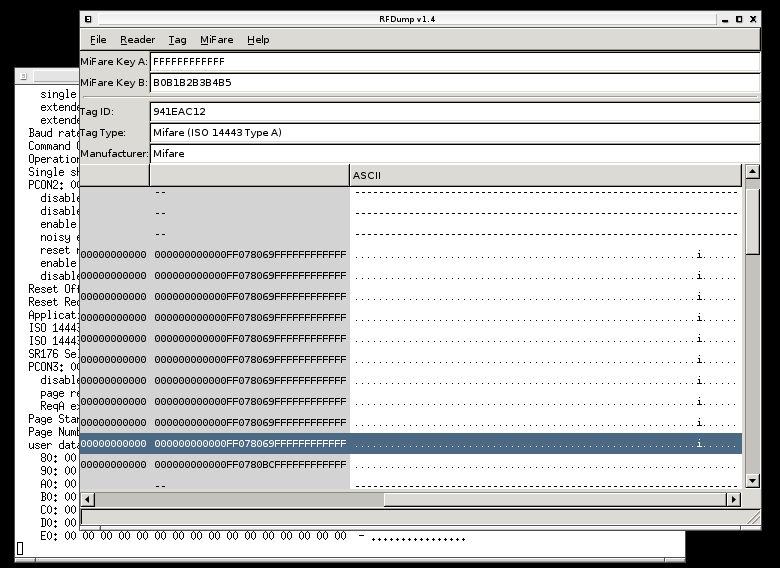
RFDump 1.4 GTK Linux Application
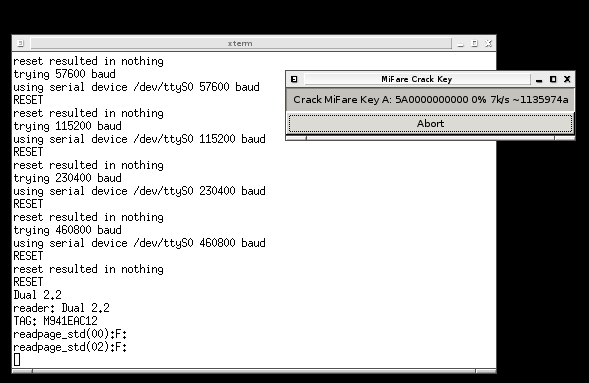
RFDump 1.4 GTK Linux Application
Original screenshots preserved from the legacy project (hosted on rf-dump.org mirror).